
TeslaMirror
HustmobileAuto & Vehicles
2.997.00 Reviews
- Version
- 9.68
- Installs
- 10.00K
- Age Rating
- Everyone
Screenshots
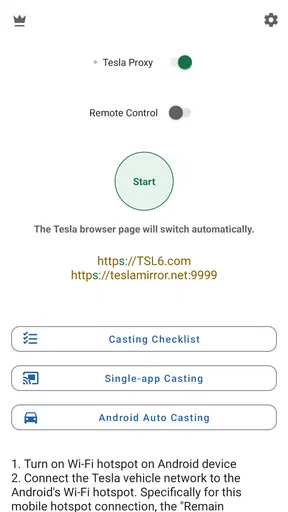
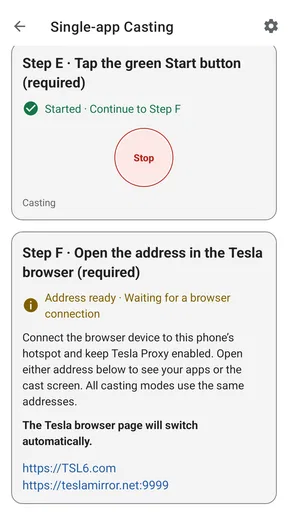
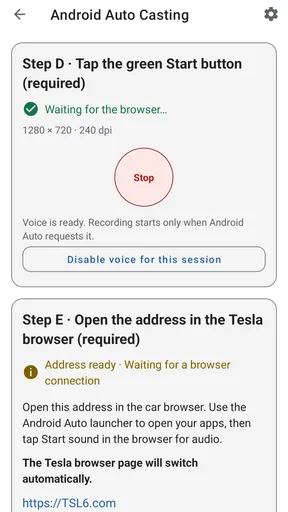
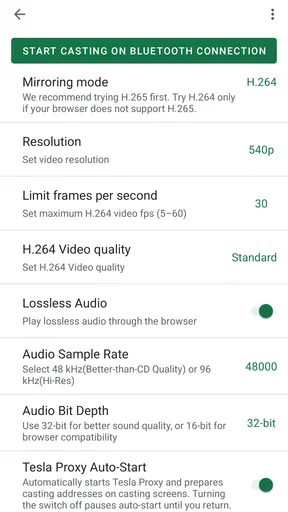
Our Review of TeslaMirror
 Analysis by Appyee
I look at TeslaMirror as a fairly narrow tool with a very particular job: it aims to put phone content on a Tesla’s built-in display through the car’s browser. That focus can be useful if you already have a phone app you want to see while parked or during a suitable break, but it also makes trust and practical limits worth considering before paying for it. I would not treat screen mirroring as a reason to handle a phone or browse entertainment while driving; the safer value is having the option available when the car is stationary.
What its narrow purpose means in practice
Unlike a general navigation, music, or vehicle-management app, this is a bridge between a phone and a Tesla browser. That distinction matters: it does not replace those apps, but may offer a way to view content that the car’s usual choices do not present in the same way. Whether that is worthwhile depends on what you want to display, how often you use it, and whether the browser-based workflow fits your routine.
A realistic use might be arriving early for an appointment and wanting to check a page or continue a video while parked, rather than balancing a phone in your hand. Another could be reviewing a route or itinerary before setting off. In those moments, a larger in-car screen can be more comfortable to look at than a handset. For music and navigation during a drive, though, I would favor the car’s built-in controls or a setup designed for hands-free use; mirroring adds another layer and is not automatically the better choice.
Trust starts with what you can see
Because this app connects a phone with a car browser, I would pay attention to the permissions it requests, the connection steps it shows, and any choices it offers during setup. I would approve only permissions that make sense for the task I am trying to perform, and I would pause if a request seemed unrelated. That is a practical habit, not a claim about how the app handles information behind the scenes.
Before using it with personal material, I would also consider what is visible on the car’s display. Notifications, account pages, messages, or other private content can be awkward to expose to passengers, even when the car is parked. A quick check of what is on screen before connecting is a sensible small step. If I were using a shared vehicle, I would be especially careful about leaving an account open or content visible after the session.
Controls, connection choices, and friction
The original experience described for TeslaMirror involves connecting the phone to the car’s Wi-Fi and following setup instructions. That makes the connection itself part of the workflow, rather than a completely invisible handoff. I would connect only when I have time to check that the right device and content are being shown, and I would disconnect or close the session when I am finished, particularly before another person uses the car.
It is also worth thinking about the difference between mirroring and casting. Mirroring generally reflects what is on the phone, so changing apps or receiving an on-screen alert can affect what appears in the car. A dedicated in-car app may be simpler for one specific task, while a browser-based mirror can be more flexible when the content you want is not otherwise available there. That flexibility comes with more responsibility to manage the phone’s screen and keep the session appropriate.
Who is likely to find it useful?
I can see the appeal for a Tesla owner who is comfortable troubleshooting a phone-to-car connection and has a clear, occasional use for content on the larger display. It is less compelling for someone who only wants reliable turn-by-turn directions or music, since the standard car and phone options may already cover those needs without adding a mirroring step. I would also skip it if I needed a guaranteed hands-free experience or expected every phone app to behave perfectly in a car browser.
The cost deserves a deliberate pause. TeslaMirror costs $5.99, so I would first decide which app or task I actually want to use through the car’s browser. If I cannot name a regular parked-car use, I would not buy it simply because screen mirroring sounds clever. Its audience is specific, and the price makes most sense when the feature solves a recurring, concrete inconvenience.
Hustmobile is the developer, and the app sits in the auto and vehicle category. It has a 2.9 average from 255 ratings, with 94 written reviews, and has passed 10K installs. Those figures suggest a product with a real but limited audience and mixed reactions; I would treat them as a reason to test the setup carefully rather than as a substitute for deciding whether the workflow suits me.
A cautious recommendation
So, you’ve heard about TeslaMirror and you’re probably wondering if it’s worth downloading. Well, buckle up because I’ve taken a deep dive into this app, and I’m here to spill the tea on everything you need to know.
What’s the Buzz About?
TeslaMirror is like a magic wand for Tesla owners. It’s designed to mirror your smartphone onto your Tesla’s display, which is a pretty nifty trick if you ask me. Imagine accessing all your favorite apps directly from your car’s screen. Sounds futuristic, right? Well, that’s exactly what TeslaMirror promises to deliver.
Setting Up: Easy Peasy or Not?
Setting up TeslaMirror is surprisingly straightforward. I mean, if I can do it without pulling my hair out, you definitely can. You just need to download the app, connect your phone to the car’s Wi-Fi, and boom, you’re in business. The app guides you through the process with handy instructions, so it’s pretty user-friendly.
Once you’ve got it set up, you can mirror almost anything from your phone. Whether it’s Google Maps, Spotify, or your favorite podcast app, it’s all at your fingertips—or should I say, at your dashboard?
Performance: Smooth Sailing or Bumpy Ride?
Performance-wise, TeslaMirror does the job quite well. The connection is stable, which is a big win because there’s nothing more annoying than a laggy or glitchy interface when you’re trying to navigate or switch playlists. I tested it out on a few drives, and it held up impressively. The screen mirroring is pretty seamless, and the resolution is crisp, which is exactly what you want.
However, like any app, it’s not without its minor hiccups. Occasionally, there’s a slight delay when opening certain apps, but nothing too off-putting. It’s like when your Wi-Fi slows down for a second—mildly annoying but not a dealbreaker.
Compatibility: Who Can Jump on the Bandwagon?
If you’re wondering whether your phone will play nice with TeslaMirror, the answer is likely yes. It’s compatible with both Android and iOS, which is great news for everyone. Just make sure your phone’s software is up-to-date, and you should be good to go.
Oh, and a little tip: Make sure your Tesla’s software is updated too. It makes a world of difference in terms of performance and connectivity.
Features That Stand Out
So, what makes TeslaMirror stand out in the crowded app marketplace? For starters, the ability to use your phone’s apps on a larger screen is a game-changer. It’s like having your phone and Tesla in sync, which is super convenient. Plus, it supports landscape mode, which is perfect for navigation and watching videos—though I’d recommend saving the Netflix binges for when you’re parked.
Another feature that caught my eye is the customization. You can tweak settings to suit your preferences, which makes the whole experience feel personal and tailored. Whether it’s adjusting the screen size or managing notifications, you’re in control.
That flexibility is best used with a little preparation. Before a parked session, I would open the app I intend to view on my phone, dismiss anything private, and then connect. This reduces the chance of an unrelated alert appearing on the larger screen and avoids fumbling through several apps once the connection is active. If I need to switch tasks, I would pause and check what is being shown instead of assuming the car display is still presenting only the original app.
Questions I would settle before relying on it
Would I use it for navigation? I might use it to inspect a map or plan a route while stopped, but for active driving I would choose the car’s normal driving interface or another hands-free method. Would I expect every app to work identically on the car screen? No: mirroring shows phone content, and individual apps can respond differently to a different display, orientation, or browser-based connection. I would test the exact app I care about while parked before building a routine around it.
Would it suit a family or shared car? It can, provided each user is comfortable managing their own phone and remembers to end the session and protect personal content. If several people need a simple, repeatable in-car setup, the extra connection steps may become a nuisance. Would I buy it for occasional novelty alone? I would hold off; the most convincing reason is a repeated task that is genuinely easier on the car display.
Where it fits among alternatives
For a single purpose such as music playback, using the car’s existing controls is usually the more direct route. For calls or directions, a conventional phone-to-car arrangement designed around those tasks may be less distracting and require less screen management. TeslaMirror’s potential advantage is breadth: it can bring phone content into view instead of limiting the experience to one dedicated service. Its trade-off is that broad access can mean more variables, including the phone’s current screen, the connection, and how a particular app behaves.
I would therefore treat it as an occasional companion, not as a replacement for every in-car feature. It is most persuasive when the car browser cannot conveniently show something you already use on your phone and you can safely view it while parked. If all you need is a playlist or a route, simpler alternatives are likely to feel more dependable day to day.
The Final Verdict
All in all, TeslaMirror is a solid app for Tesla owners who want to enhance their driving experience. It’s user-friendly, performs well, and offers a range of features that make it a handy companion on the road. Sure, it has a couple of minor quirks, but nothing that detracts from its overall usefulness.
The app is rated for Everyone, was released on December 30, 2020, and its current version is 9.64; it requires Android 8.0 or later. Those details make it straightforward to check basic eligibility, but they do not change the main decision: whether you have a specific, safe use for phone mirroring in your Tesla. I would make that decision first, then try a short parked session and see whether the connection and display suit the content I want.
If you’re a tech enthusiast or just someone who loves the idea of seamless connectivity, give TeslaMirror a shot. It’s like adding a touch of futuristic flair to your driving routine. So, why not hit the download button and take it for a spin?
Verdict
Strengths of TeslaMirror
- Seamless integration with Tesla vehicles.
- Supports streaming from multiple apps.
- User-friendly interface and setup.
- High-quality video and audio output.
- Reliable connection with minimal lag.
Limitations of TeslaMirror
- Limited to Tesla cars only.
- Requires stable internet connection.
- Subscription fee for premium features.
- Not compatible with older Tesla models.
- Some apps may not support mirroring.
Similar Picks in This Category
View All
Android Auto
Google LLC4.1

maxim — order a taxi & food
PT. SITO4.7

Штрафы ГИБДД: проверка с фото
Pays LLC – Штрафы ГИБДД4.7

Номерограм – проверка авто
Авто Ассист4.8

Дром Авто
Дром4.9

Frequently Asked Questions
What is TeslaMirror and how does it work?
TeslaMirror is an innovative app designed to mirror your smartphone's screen to your Tesla's infotainment system. It works by connecting your phone to the car's system via Bluetooth or Wi-Fi, allowing you to view apps, videos, and more directly on the car's screen. This enhances your driving experience by providing seamless access to your phone's content.
Is TeslaMirror compatible with all Tesla models?
TeslaMirror is compatible with most Tesla models equipped with the latest software updates. However, compatibility may vary depending on the specific model and firmware version. It is recommended to check the app's compatibility list or consult the developer’s website for detailed information regarding your particular Tesla model.
Does TeslaMirror require a subscription or one-time purchase?
TeslaMirror offers a one-time purchase option, allowing users to pay a single fee for lifetime access to the app. This makes it a cost-effective solution for Tesla owners who want to enhance their infotainment system without recurring charges. Be sure to check for any promotions or discounts before purchasing.
What features does TeslaMirror offer beyond screen mirroring?
Beyond basic screen mirroring, TeslaMirror provides features such as video streaming, app access, and integration with music services. It also supports voice commands for hands-free control and offers customizable settings to enhance the user experience. These features make it a versatile tool for Tesla owners looking to expand their car's capabilities.
Is TeslaMirror safe to use while driving?
TeslaMirror is designed with safety in mind, allowing for distraction-free access to your phone's content. However, it is important to use the app responsibly and only when it is safe to do so. The app provides voice command features to minimize manual interaction, promoting safer driving practices.
